

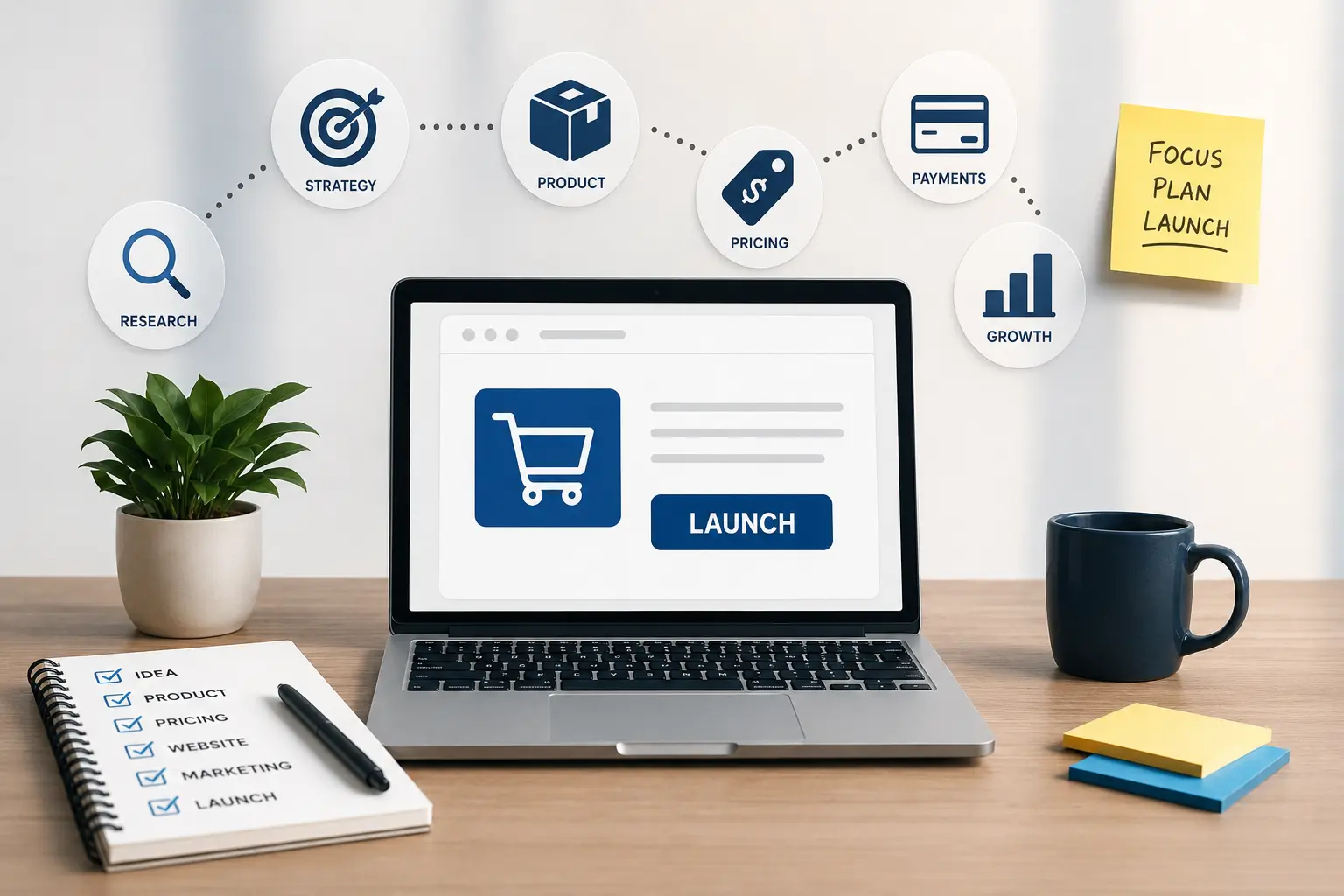
Before You Launch: 12 Decisions That Make an Online Business Easier to Run
A practical 2026 launch framework for building an online business around clear positioning, pricing, payments, security, discoverability, customer trust, and sustainable operations.
Launching an online business often looks deceptively simple from the outside. Choose a name, build a website, connect a payment method, publish a few pages, and start promoting it. In practice, most of the difficult work sits underneath those visible steps. A business can have an attractive website and still struggle because its offer is unclear, its pricing leaves no room for costs, customers do not trust the checkout, internal accounts are poorly secured, or the owner has never decided what should happen after the first order arrives.
A stronger launch begins by treating the business as a system rather than a website. Your positioning affects your messaging, your pricing affects your margins, your payment setup affects conversion, your brand affects recognition, and your operational decisions determine whether growth becomes manageable or chaotic. The twelve decisions below are designed to help you build those pieces in the right order. They apply to product businesses, online services, digital products, subscription models, and many small businesses that sell primarily through the internet.
- Define the problem before describing the business
- Choose the customer you are actually building for
- Turn the idea into a clear offer
- Build pricing from numbers, not instinct
- Decide how international customers will see prices
- Understand where tax enters the transaction
- Make the business recognizable before making it elaborate
- Build the website around customer decisions
- Remove unnecessary payment friction
- Secure the accounts that can control the business
- Test the entire customer journey before launch
- Plan the first 90 days instead of only launch day
Phase One: Make Sure There Is a Business Behind the Website
The first part of the process is intentionally not about design or technology. Before spending time on themes, advertisements, social posts, automations, or integrations, you need to know what the business is selling and why a customer would care. These decisions are harder to change later because they influence almost everything built on top of them.
1. Define the Problem Before Describing the Business
Many new businesses begin with a description of what they are rather than what they solve. A founder may say they are building a digital agency, online store, productivity platform, coaching service, subscription business, or marketplace. Those labels help categorize the company, but they do not explain why somebody should choose it. Customers usually respond more clearly to a problem they recognize than to a business model they have to interpret.
Try expressing the problem in one direct sentence. Who experiences it? When does it happen? What makes it expensive, inconvenient, risky, confusing, or frustrating? A business selling accounting software, for example, is not simply selling software. It may be helping small businesses stop losing hours to manual invoice tracking. A specialist e-commerce store is not merely selling products; it may be making a hard-to-find category easier to research and purchase confidently.
This problem statement becomes a useful filter later. When you write the homepage, create advertisements, choose features, or decide what content to publish, you can ask whether the work helps customers understand or solve the original problem. If the answer is no, you may be adding activity rather than value.
A useful launch question: if your logo and company name disappeared from the homepage, would a first-time visitor still understand within a few seconds what problem the business helps them solve?
2. Choose the Customer You Are Actually Building For
“Everyone” is rarely a useful target customer. Even products with broad potential usually need a more focused starting audience because different customers care about different benefits. A freelancer buying a software tool may prioritize simplicity and price. An agency may care about team access and scalability. An enterprise buyer may care about security, reporting, procurement, and support. Trying to speak equally to all three can weaken the message for each one.
Define a starting customer using practical characteristics rather than creating an overly fictional persona. Industry, company size, budget range, purchase motivation, location, technical ability, and urgency are often more useful than inventing details about someone's favorite coffee or weekend routine. The purpose is to understand the buying situation well enough to make sensible product and marketing decisions.
Your first audience does not have to become your permanent audience. Successful businesses frequently expand after learning which customers respond best. Focus gives you a clearer launch point. It does not prevent future growth.
| Question | Why It Matters |
|---|---|
| Who experiences the problem most often? | Helps prioritize the first audience |
| How urgently do they need a solution? | Affects messaging and sales cycle |
| How do they currently solve the problem? | Reveals your real competition |
| Who approves the purchase? | Changes how much information the website needs |
| What creates hesitation? | Helps plan proof, FAQs, guarantees, and support |
3. Turn the Idea Into an Offer People Can Understand
A business idea becomes commercially useful when the customer can understand exactly what they receive. That means defining the product or service, price structure, delivery method, limitations, expected outcome, and next step. “Marketing services” is a category. “Monthly Google Ads management for local service businesses” is already closer to an offer because the buyer can understand what is being sold.
If several services exist, resist the temptation to display every possible variation immediately. A smaller number of clearly differentiated packages can often be easier to compare. Product businesses face the same problem when categories become too broad or options are presented without enough explanation. Choice is useful only when customers understand the difference between the choices.
This is also where the founder's public identity may matter. For businesses where expertise and reputation influence the purchase decision, the company and the person behind it should reinforce each other. Our guide to building a strong online personal brand explains how positioning, profile consistency, proof, and professional visibility can support that trust without turning every account into an advertisement.
Phase Two: Make the Economics Work Before You Chase Sales
A sale does not automatically mean a healthy business. Revenue has to cover product costs, payment fees, advertising, refunds, taxes, software, contractors, support, and the owner's time. The second group of decisions is therefore about creating enough financial clarity that increased sales do not accidentally produce increased problems.
4. Build Pricing From Numbers, Not Instinct
Pricing is often treated as a branding exercise: look at competitors, choose a number that feels reasonable, and adjust later. Competitor research is useful, but the business still needs to understand its own economics. Two companies selling a similar product can require very different pricing because their acquisition costs, fulfillment, support, payment fees, staffing, and margins are different.
Start by separating fixed costs from variable costs. Then calculate what remains after the costs directly associated with a sale. If you offer discounts, commissions, affiliate payouts, or promotional campaigns, model those before publishing them. A 20% discount is not merely a different number on the product page; it may remove a much larger percentage of the profit remaining after other expenses.
The Percentage Calculator can be useful when comparing discounts, margin changes, price increases, conversion changes, or one number as a percentage of another. Use calculations to support the decision, but remember that pricing also communicates positioning. Being the lowest-priced option can attract demand while simultaneously creating expectations about service, quality, and support that may not match the business you want to build.
Model the bad month too: do not test a price only under ideal conditions. Ask what happens when advertising becomes more expensive, refunds increase, currency rates move, or a supplier raises costs.
5. Decide How International Customers Will See Prices
The internet makes a business global much faster than its operations become global. A visitor may arrive from another country on the first day, but that does not mean the company is ready to price, support, ship, invoice, refund, or pay taxes internationally. Decide early whether you are intentionally serving international customers or simply allowing them to discover the site.
If you sell across currencies, understand the difference between displaying a converted estimate and actually charging in a local currency. Exchange rates move, card providers may apply conversion fees, and payment processors may have their own settlement rules. A product that appears competitively priced in your base currency can feel very different to a customer once conversion and payment costs are included.
The Currency Converter can provide a useful reference when comparing amounts across currencies and planning international price presentation. For actual transactions, however, use the rate and settlement information provided by your payment processor because the final charged or settled amount may not match a general reference conversion exactly.
Internationalization also affects language, customer service hours, refund policies, shipping expectations, legal disclosures, and product suitability. Expanding countries should therefore be an operational decision, not merely a dropdown added to the website.
6. Understand Where Tax Enters the Transaction
Tax becomes confusing when it is considered only after the first sales have already been processed. The correct treatment depends on the country, business structure, customer location, product or service type, registration status, and other factors. That means a generic article cannot determine your obligations, but your launch checklist should include identifying them before you set final public prices.
For transactions where VAT applies, it is important to know whether the displayed amount includes tax, whether tax will be added during checkout, and how the invoice should show net value, VAT, and gross value. The VAT Calculator can help you model the arithmetic of adding or removing VAT from an amount. It does not replace country-specific tax advice, but it makes pricing scenarios easier to compare.
Tax presentation is also part of the customer experience. Unexpected costs added late in checkout can create hesitation, particularly when the customer believed the earlier displayed price represented the total amount. Make the pricing structure as understandable as the regulations allow and obtain professional advice when entering jurisdictions you do not understand.
Phase Three: Build a Storefront People Can Trust and Use
Once the offer and economics are clear, the visible business can be built around them. The website's role is not simply to look legitimate. It has to answer questions, reduce uncertainty, help visitors compare options, and move the right customer toward a sensible action.
7. Make the Business Recognizable Before Making It Elaborate
New businesses sometimes spend weeks perfecting logos and visual systems before validating their offer. Others go to the opposite extreme and launch with inconsistent colors, five different font styles, low-quality graphics, and no recognizable visual identity. A useful middle ground is to build a small system that is consistent enough to feel intentional without allowing design work to delay the business indefinitely.
Choose a primary color, a restrained set of supporting colors, readable typography, basic image rules, and one recognizable way of presenting the brand name. These decisions should work across the website, social profiles, emails, documents, advertisements, and eventually offline materials. You can expand the system after the company develops a stronger visual language.
If you are at this stage, our earlier article on creating a professional brand color palette covers primary, secondary, accent, and neutral colors as a reusable system rather than a collection of unrelated shades.
The goal is recognition, not decoration. Customers should remember the business because the experience, offer, name, and design reinforce each other—not because every section contains another visual effect.
8. Build the Website Around Customer Decisions
A homepage should not attempt to contain the entire company. It should help the visitor answer a sequence of questions: Am I in the right place? Is this relevant to me? What exactly is being offered? Why should I trust it? What does it cost or how do I learn the cost? What should I do next? When those answers are difficult to find, extra animation and design rarely solve the underlying problem.
Navigation should reflect customer intent rather than internal company structure. Product pages should contain enough information for a customer to evaluate the offer without opening several unrelated tabs. Service pages should explain scope and expectations. Policies should be accessible. Contact paths should work. Mobile layouts deserve particular attention because a page that appears clean on a large desktop may become confusing when its content is stacked onto a narrow screen.
Search visibility should also be considered while the site is being built rather than bolted on afterward. Google's official SEO Starter Guide emphasizes making content useful, well organized, understandable, and accessible to both users and search engines. Build descriptive pages around what customers genuinely need to understand rather than creating dozens of thin pages solely to target keyword variations.
Give someone unfamiliar with the business one minute on the site. Then close it and ask them what you sell, who it is for, why they might choose it, and what they would do next. Their answers are often more useful than another round of internal design feedback.
9. Remove Unnecessary Friction From Payment
Payment is where customer intent becomes revenue, so avoid treating checkout as a technical detail. Customers who have already decided to buy can still leave when the process becomes confusing, requires unnecessary information, hides important costs, produces errors, or offers unfamiliar payment options. Every additional decision at this stage should justify its presence.
If your payment provider offers a hosted or prebuilt checkout, understand exactly what it handles and what remains your responsibility. Stripe's official Payment Links documentation, for example, shows how businesses can create hosted payment pages that can be shared through websites, social media, messages, and other channels. Whatever provider you choose, review its official documentation rather than copying setup advice from outdated third-party tutorials.
Checkout usability has been studied extensively. Baymard Institute's checkout usability research documents how design and flow problems can contribute to customers abandoning purchases. This is a useful reminder that checkout optimization is not simply about changing button colors; basic form complexity, clarity, error handling, and the overall flow can affect whether motivated customers complete a transaction.
| Area | Check |
|---|---|
| Total price | Can the customer understand the full amount before committing? |
| Payment methods | Are suitable options available for your target customers? |
| Mobile checkout | Can the full process be completed comfortably on a phone? |
| Confirmation | Does the customer immediately know whether payment succeeded? |
| Refund flow | Does your team know how a legitimate refund will be processed? |
| Failed payments | Is there a clear recovery path instead of a dead end? |
Phase Four: Prepare for the Day Real Customers Arrive
Many launch plans stop when the website becomes public. Operationally, that is when the real work begins. Customers create support requests, payments fail, accounts need access, analytics reveal unexpected behavior, and changes start happening quickly. The final three decisions are designed to make that first period more controlled.
10. Secure the Accounts That Can Control the Business
An online business may depend on a surprisingly small number of critical accounts: domain registrar, hosting provider, company email, payment processor, advertising accounts, analytics, e-commerce platform, customer database, and social profiles. If one of those accounts is compromised, the damage can be far greater than losing access to an ordinary personal login.
Use unique credentials for critical services and enable stronger authentication options where providers support them. Reusing one memorable password across several business systems creates a single point of failure. A Password Generator can help create long, randomized passwords using different character combinations. Store credentials using an appropriate password-management system rather than in an unprotected spreadsheet or shared message thread.
Access control also matters as the team grows. Do not automatically share the owner's master login with employees, agencies, freelancers, and developers when the platform offers separate user roles. Grant the level of access required for the work and remove access when the relationship ends.
- Use different passwords for critical business accounts.
- Enable multi-factor authentication where available.
- Keep recovery email addresses and phone numbers current.
- Use individual team accounts instead of sharing master credentials when possible.
- Review third-party integrations and connected applications periodically.
- Remove access promptly when contractors or employees no longer need it.
11. Test the Entire Customer Journey Before Launch
Do not test only whether the homepage loads. Behave like a customer from beginning to end. Arrive through a search result or advertisement, navigate from a mobile device, open a product or service page, submit forms, create an account if required, apply a discount, attempt payment, read confirmation messages, request support, and check every email generated by the process.
Run both successful and unsuccessful scenarios. What happens when a card payment fails? What happens when a required form field is empty? Is an error message understandable? Does the reset-password email arrive? Can an order confirmation be read on mobile? Do contact forms reach an inbox somebody actually checks? These are the moments where a technically functional website can still produce a poor customer experience.
Disposable inboxes can be useful when repeatedly testing low-risk signup or confirmation flows without cluttering a primary testing inbox. The Temporary Email tool can provide a short-lived address for scenarios such as testing a newsletter form or generic confirmation flow. It should not be used as the permanent address for business-critical accounts, payments, domain ownership, recovery access, or anything you may need to retrieve later.
Test with real conditions: use actual phones, different browsers, realistic product prices, slow connections when possible, and test accounts that resemble genuine customer behavior. A perfect desktop test environment can hide problems customers will see immediately.
12. Plan the First 90 Days Instead of Only Launch Day
Launch day receives disproportionate attention because it feels like a deadline. For most businesses, however, the first three months matter far more. This is when customer questions reveal unclear messaging, analytics show where visitors leave, support requests expose product problems, and actual acquisition costs begin replacing optimistic projections.
Create a short post-launch calendar with specific review points. Decide when you will review pricing, conversion, refund reasons, support volume, advertising performance, search visibility, and customer feedback. The Days Between Dates tool can help calculate exact intervals between launch, campaign, review, contract, or milestone dates when you are building that schedule.
Do not change ten things every time results disappoint you. If traffic is low, changing checkout copy may not address the problem. If visitors reach the payment page but do not complete it, publishing more social posts may not solve the issue either. Identify which stage is underperforming before deciding what to test.
| Period | Main Objective | Questions to Review |
|---|---|---|
| Days 1–14 | Find obvious breakage | Do payments, forms, tracking, emails, and support paths work? |
| Days 15–30 | Study customer behavior | Where do visitors hesitate, leave, or ask questions? |
| Days 31–60 | Improve the offer | Are pricing, positioning, product information, and proof clear? |
| Days 61–90 | Build repeatable growth | Which channels and customer segments produce sustainable results? |
The Launch Metrics Worth Watching First
New businesses can quickly become overwhelmed by dashboards. Website sessions, impressions, followers, clicks, bounce rates, engagement, orders, conversion rates, acquisition costs, refund rates, email opens, and dozens of other numbers are available almost immediately. Not all of them deserve equal attention.
Start with metrics that connect directly to the business model. For an online store, that may include qualified traffic, product-page engagement, checkout initiation, completed purchases, average order value, gross margin, refund rate, and acquisition cost. A service business may care more about qualified enquiries, booked calls, proposal acceptance, average project value, and lead source. A subscription company will eventually need to understand activation, churn, retention, and recurring revenue.
The purpose of metrics is to identify decisions, not to create more reporting. If a number changes, ask what action it might justify. A dashboard containing fifty metrics but producing no operational decisions is less useful than a small weekly report that consistently reveals where the business needs attention.
What You Can Delay Until the Business Has Evidence
A launch checklist should also contain things you intentionally do not do. New businesses often imitate mature companies and build systems they do not yet need: complex loyalty programs, huge knowledge bases, multiple international storefronts, elaborate automation, a dozen social channels, advanced segmentation, expensive software stacks, or large collections of product variants.
Delay complexity until customer behavior demonstrates a reason for it. If ten people ask the same support question, that may justify adding a help article. If international demand becomes meaningful, localization may deserve investment. If manual fulfillment starts consuming too much time, automation becomes more valuable. Building these systems after evidence appears usually creates better solutions because you understand the actual problem.
Automate Later
First understand the process manually. Automating a poorly designed process simply makes the same problem happen faster.
Expand Later
One market working well provides more useful information than five markets launched without enough support.
Add Features Later
Customer requests and real usage provide a better product roadmap than assumptions made before launch.
Scale Spending Later
Increasing traffic before fixing positioning, pricing, and conversion can increase the cost of learning rather than the speed of growth.
Is Your Online Business Actually Ready to Launch?
“Ready” does not mean perfect. There will always be another page to improve, another design detail to adjust, and another feature that could be added. The objective is to reach a point where the business can responsibly accept a real customer: the offer is understandable, the price is deliberate, payment works, important policies exist, critical accounts are secure, customers can contact you, and the team knows what should happen after an order arrives.
A small controlled launch can be more useful than a dramatic public announcement. Invite a limited number of customers, observe what happens, fix the most important friction, and expand from there. Early customers often reveal questions that nobody inside the business thought to ask because the team already understands the product too well.
Do I need a perfect website before launching?
No. The site needs to be clear, functional, trustworthy, and capable of supporting the customer journey. Improvements can continue after launch.
Should I start advertising immediately?
Paid traffic can accelerate learning, but sending large amounts of traffic to an unclear offer or broken checkout can simply make mistakes more expensive.
How many products should an online store launch with?
There is no universal number. A focused catalog that customers can understand is often more useful than a large catalog filled with poorly differentiated options.
Should an online business sell internationally from day one?
Only if pricing, payment, support, tax, fulfillment, and customer expectations can be handled appropriately in those markets. International website traffic alone does not mean the business is operationally ready.
What should I test before opening the website publicly?
Test navigation, forms, mobile layouts, checkout, failed payments, confirmation messages, transactional emails, contact routes, links, account creation, and any critical customer workflow.
What should I focus on during the first month?
Prioritize technical reliability, real customer questions, purchase friction, offer clarity, and the quality of the traffic reaching the site before adding unnecessary complexity.
An online business becomes easier to grow when the foundations make sense before the traffic arrives. That does not require predicting every future problem. It requires making the major decisions deliberately enough that the first real customers can move from discovery to purchase without encountering avoidable confusion.
If you are close to launch, resist the urge to spend the final week adding more features. Walk through these twelve areas instead and look for weak connections between them. A price that does not support the costs, a payment process nobody has tested, an unclear offer, or an unsecured critical account matters far more than one additional homepage animation. Fix the parts that protect the customer experience and the economics first; the rest of the business can evolve with evidence.