

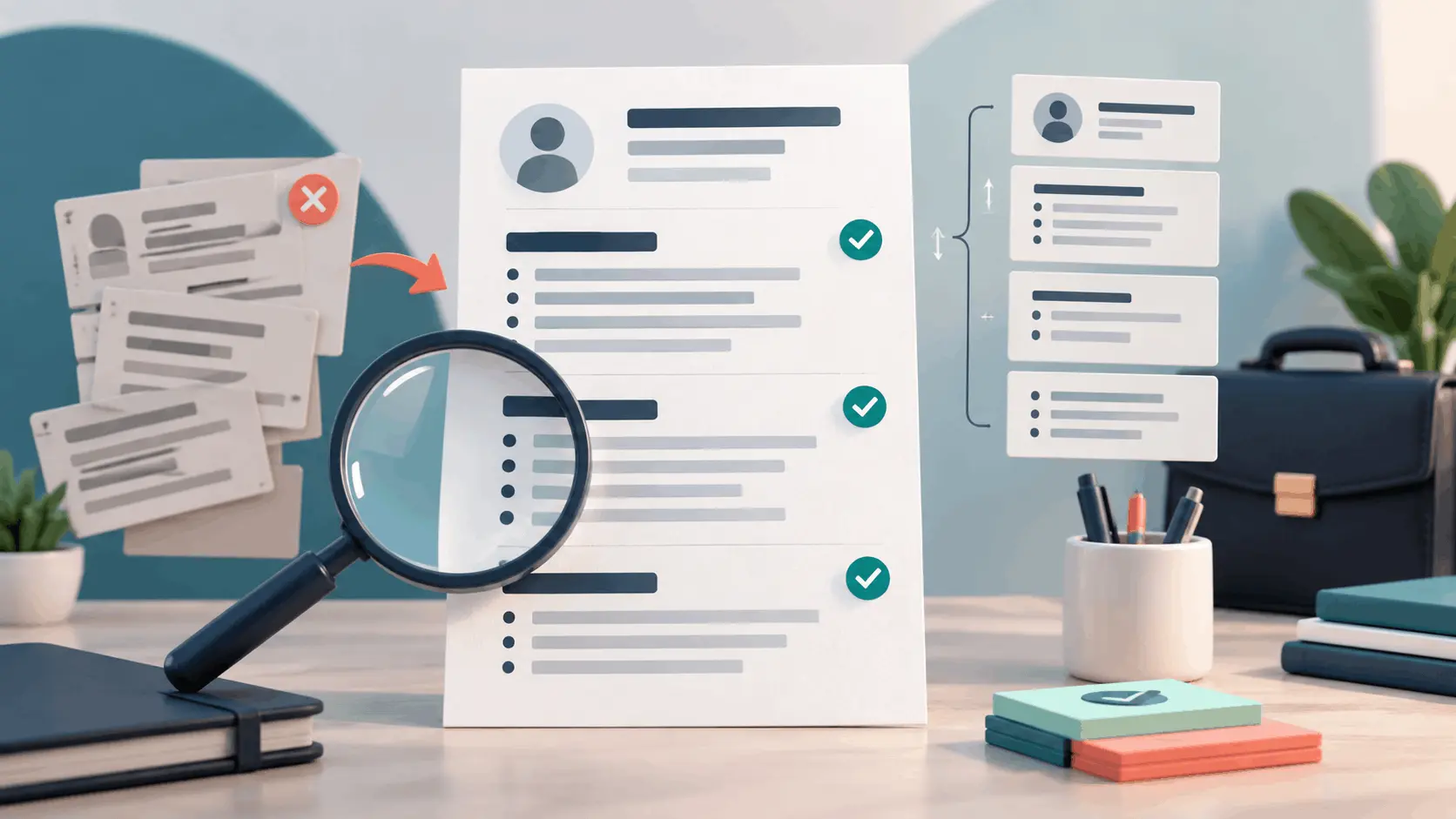
Resume Builder Mistakes: 12 Fixes Before You Apply
Building a resume online? Fix 12 common mistakes involving ATS formatting, vague bullets, keywords, contact details and PDF export before you apply.
A Resume Builder Solves Layout—You Still Supply the Judgment
A resume builder can remove much of the mechanical work from creating a professional document. It can provide consistent spacing, organize standard sections and turn your information into a shareable PDF. It cannot decide which achievement matters most to a particular employer, verify every claim or understand the context behind a career change.
The Mr.Gena Free Resume Builder offers eight editable templates for creating a clean one-page résumé. You can edit text directly, add experience and education entries, enter skills and export the finished page as a PDF. Changes save automatically in your browser, allowing you to concentrate on the content rather than manually aligning every element.
That convenience is most valuable when it supports a deliberate process. Harvard’s career guidance describes a résumé as a concise, informative summary that should highlight a candidate’s strongest assets and be tailored to the desired position. Its guidance also emphasizes specific, active and fact-based language rather than decorative wording.
The following twelve mistakes are not limited to first-time applicants. They also appear in executive résumés, career-change applications, freelance profiles and documents that have been revised so many times that their original purpose has disappeared.
1. Mistake: Choosing a Template Before Defining the Target Role
It is tempting to begin with the most attractive design and then fill every available box. This reverses the decision. The role should determine what information deserves priority; the template should simply present that information clearly.
The better move: Read the job description before opening the builder. Write down the position title, three to five recurring responsibilities, the required tools or qualifications and the outcomes the employer appears to value. Then choose the template that gives your strongest evidence enough room.
A recent graduate may need education, projects and internships near the top. An experienced applicant may lead with a focused summary and recent achievements. A technical specialist may require a compact skills section, while a project manager may need more room for outcomes involving budgets, schedules and teams.
Do not select a template because it contains the greatest number of sections. Empty or weak sections dilute attention. Start with the employer’s decision, build a content hierarchy and select a design that serves it.
2. Mistake: Opening With a Generic Professional Summary
“Motivated professional with excellent communication skills seeking a challenging opportunity” may sound positive, but it gives the reader almost nothing that distinguishes one candidate from another. Generic summaries consume the most visible space without reducing uncertainty.
The better move: Use a short summary only when it helps explain your fit. Combine your professional identity, relevant level of experience, strongest area of expertise and one credible form of value. A career changer can also use the summary to connect previous experience with the new direction.
| Weak summary element | Why it fails | Better replacement |
|---|---|---|
| Hard-working team player | Unsupported and widely used | A role, specialization or demonstrated collaboration result |
| Looking for a challenging position | Focuses on what the applicant wants | The type of problem the applicant can help solve |
| Excellent communication skills | Does not show audience, channel or result | Evidence such as presentations, client work or documentation |
Use the Mr.Gena Word Counter to compare summary drafts and remove unnecessary words. If a draft sounds mechanical, the AI Humanizer can offer an alternative phrasing, but you must confirm that the result still reflects your real experience and natural voice.
3. Mistake: Listing Duties Instead of Useful Evidence
A list of responsibilities tells the employer what the position was supposed to involve. It does not necessarily explain what you contributed. “Responsible for customer service,” “managed social media” and “worked on reports” leave the scale, method and outcome unknown.
The better move: Build bullet points from four possible elements: the action you took, the subject or scale, the method you used and the result. Not every bullet requires all four, but each should communicate more than a copied job description.
Harvard’s guide to creating a strong résumé recommends active, specific and fact-based language and identifies failure to demonstrate results as a common mistake. That does not mean inventing percentages for every task. Honest scope, frequency, complexity and stakeholder information can also make evidence concrete.
| Duty-only statement | Evidence-led direction |
|---|---|
| Managed customer emails | Explain volume, response process, issue type or service result |
| Created monthly reports | Identify the audience, data analyzed and decision supported |
| Helped with social media | State the channels, content responsibility and measurable outcome |
| Worked on a website project | Describe your contribution, technology and delivered feature |
Never manufacture revenue, growth, team size or efficiency figures because a stronger-looking number seems necessary. A modest true result is more defensible than an impressive claim you cannot explain during an interview.
4. Mistake: Adding Keywords and Skills You Cannot Support
Some applicants copy every phrase from the job advertisement into a skills block, hoping to improve automated matching. The result may include software they barely used, inflated proficiency levels and repeated terms that make the document unpleasant for a person to read.
The better move: Identify relevant language from the posting, then connect it to genuine evidence. If “project coordination” is important, use that phrase where you describe a project you actually coordinated. If a certification is mandatory, give its correct official name and current status.
Distinguish between a required qualification, a preferred skill and a responsibility. You do not need to repeat the same keyword in the summary, skills section and every job entry. Natural placement is easier to read and easier to defend.
Also expand important acronyms at first use when space permits—for example, “Search Engine Optimization (SEO).” This improves clarity for readers who use different terminology while preserving the recognizable abbreviation.
5. Mistake: Putting Decoration Ahead of Readable Structure
Multiple columns, skill-rating bars, icons, text boxes and unusual section names may make a résumé look distinctive. They can also make it harder to scan quickly and may cause some applicant tracking systems to extract information in the wrong order.
The better move: Favor a clear hierarchy, recognizable headings, standard bullets and consistent typography. Use decoration only when it helps the reader navigate. The résumé should still make sense if its colors and visual accents disappear.
Santa Clara University’s Career Center lists complex graphics, tables, non-standard characters, information in headers or footers and unusual headings among common ATS résumé formatting problems. Different systems behave differently, so no design can promise universal compatibility. Simplicity reduces avoidable risk.
Use headings such as “Experience,” “Education,” “Skills” and “Certifications” when they accurately describe the content. Creative alternatives such as “My Journey” may be memorable to you but less obvious to a recruiter or parser.
6. Mistake: Hiding or Mistyping Essential Contact Details
A strong résumé cannot generate a conversation if the email address contains a typo, the phone number lacks the correct country code or the portfolio link leads to an expired page. Contact information is easy to overlook because the applicant already knows it.
The better move: Place essential contact information in the main content area near your name. Include the information appropriate for the market and application: usually a professional email address, reachable phone number, location at the expected level of detail and selected professional links.
Open every URL from the exported document in a private browser window. Confirm that the profile is public enough for the intended reviewer and that the visible name, role dates and professional story do not contradict the résumé.
Our guide to building a strong online personal brand explains how consistent names, biographies, work examples and contact paths reinforce credibility across platforms. A résumé and professional profile do not have to be identical, but their factual information should agree.
7. Mistake: Using Inconsistent Dates and Confusing Chronology
One role uses “06/2022,” another uses “June 2022” and a third lists only “2022.” Mixed formats make a short document feel unfinished and can make employment duration harder to interpret. Entries placed outside a clear sequence create additional work for the reader.
The better move: Select one date style and apply it throughout. “Jun 2022–Aug 2024” and “06/2022–08/2024” can both be clear when used consistently. Use “Present” only for a role you currently hold.
Within each major section, reverse chronological order is usually the most predictable structure: the most recent role, degree or relevant project appears first. If you use a different structure because a functional résumé better explains a career change, ensure dates and employers remain easy to find.
Check overlapping positions before assuming they are errors. Freelance work, study, volunteer roles and part-time employment can legitimately overlap. The résumé should make those relationships understandable rather than hiding them.
8. Mistake: Giving Every Experience the Same Amount of Space
A résumé is not a complete autobiography. Giving an old, unrelated position six bullets while compressing the most relevant recent role into two lines reverses the document’s priorities. Equal space does not create fairness; it creates weak emphasis.
The better move: Allocate space according to relevance, recency and strength of evidence. Expand the roles and projects that best support the target position. Reduce older or less relevant experience to the facts necessary for continuity.
Students and early-career applicants can draw evidence from coursework, projects, volunteer work, internships, student organizations and part-time positions. The test is not whether an experience was paid. The test is whether it demonstrates a useful skill, responsibility or outcome.
Experienced applicants should resist the urge to record every task from every job. Select the achievements that show progression, scope and fit. If removing a bullet does not change how the reader understands your candidacy, that bullet may not deserve scarce space.
9. Mistake: Ignoring Country, Industry and Application Rules
Résumé conventions are not universal. A one-page private-sector résumé, an academic CV, a creative portfolio résumé and a federal application can require very different levels of detail. Expectations about photographs, personal information, references and file type also vary across countries and employers.
The better move: Read the application instructions before applying general advice. Follow the requested file format, language and required fields. Research local expectations when applying internationally, and avoid adding sensitive personal details simply because an old template contains a place for them.
The European Employment Services resource on creating a Europass CV explains how applicants can record skills, qualifications and work experience and create different CV versions for opportunities across Europe. It is a useful example of a context-specific system, not proof that one format is ideal for every employer worldwide.
When the posting asks for a portfolio, certification number, work authorization answer or separate references, supply it through the requested field or document. Do not force every supporting item into the résumé itself.
10. Mistake: Trusting Automated Writing Suggestions Without Verification
Grammar and rewriting tools can improve clarity, but they may replace correct industry terms, change verb tense or turn a cautious claim into an exaggerated one. A sentence can become smoother while becoming less true.
The better move: Treat each suggestion as a proposal. Run important sections through the Mr.Gena Grammar Checker, then accept or reject edits individually. Verify names, dates, job titles, product names, certifications and numerical results against your records.
If you adapted language from templates or example résumés, the Mr.Gena Plagiarism Checker can help identify phrases that deserve another review. A similarity result is not a verdict, and standard job terminology will naturally overlap. Its value is prompting you to replace copied claims with your own evidence.
Read the entire résumé aloud after automated editing. Listen for sentences you would never naturally explain in an interview. Your document can be polished without pretending that you speak, achieved or know something you do not.
11. Mistake: Exporting Without Checking the Actual PDF
The builder preview looks correct, so the exported file is attached immediately. The PDF may reveal a wrapped date, clipped bullet, blank second page, inactive link or filename that still says “resume-final-new-3.” Employers receive the exported file, not your editing screen.
The better move: Download the PDF, close the builder and review the file independently. Confirm page count, spacing, line breaks, selectable text, link destinations and readability at normal zoom. Open it on another device when possible.
Use a professional filename such as FirstName-LastName-Resume.pdf or add the target role when maintaining several tailored versions. Avoid special characters that may behave unpredictably in older upload systems.
If an employer imposes a strict upload limit, follow our guide to compressing a PDF without ruining quality. Do not shrink a one-page résumé so aggressively that small type becomes soft or text inside graphical elements becomes unreadable.
12. Mistake: Using One Résumé for Every Application Forever
A single résumé feels efficient, but different roles prioritize different evidence. A document written for operations may bury the client results needed for an account-management role. An old résumé may also preserve outdated contact information, skills and descriptions long after your career has changed.
The better move: Maintain a master career inventory containing every verified role, project, accomplishment, qualification and useful metric. For each application, create a shorter version that selects and orders the evidence most relevant to that opportunity.
If your only historical copy is locked in PDF form, the Mr.Gena PDF to Word Converter can help recover editable text. Compare the conversion with the original before reusing dates or details, because complex layouts and scans may not transfer perfectly.
Record the version you sent, the job description and the submission date. When an interview arrives, review that exact résumé rather than guessing which wording the employer saw. Update the master inventory after major projects, promotions and certifications so important evidence is not forgotten months later.
Resume Preflight Table
| Review area | Question to ask | Pass condition |
|---|---|---|
| Targeting | Does the first half support this specific role? | Relevant evidence appears before secondary information |
| Accuracy | Can every date, title and result be verified? | No invented or unexplained claims |
| Readability | Can a reader locate major sections quickly? | Clear headings, consistent spacing and concise bullets |
| Compatibility | Does the structure survive text extraction? | Logical order without dependence on decoration |
| Delivery | Does the final PDF open and meet instructions? | Correct format, filename, links and file size |
A Reliable 12-Step Resume Builder Workflow
- Save the job description and application instructions.
- Identify the role’s most important requirements and outcomes.
- Collect verified dates, titles, qualifications and achievements.
- Select the evidence most relevant to the target role.
- Choose one of the eight templates in the Free Resume Builder.
- Write a focused summary only if it adds useful context.
- Turn responsibilities into concise, evidence-led bullets.
- Use consistent section headings, dates, spacing and verb tense.
- Check every keyword and skill against genuine experience.
- Proofread facts first, then grammar and style.
- Export the résumé and inspect the actual PDF independently.
- Save the tailored version with the job description and submission date.
Frequently Asked Questions
Should every résumé be one page?
No universal rule fits every profession and career stage. A focused one-page résumé works well for many students, recent graduates and applicants with concise experience. Experienced, academic, technical or specialized applications may require more detail. Follow the employer’s instructions and local conventions.
Is a PDF always the best résumé format?
PDF preserves layout reliably, but the job posting may request DOCX, plain text or a platform form. Follow the stated requirement. When PDF is accepted, ensure it contains selectable text rather than a full-page image.
Can a résumé builder guarantee ATS compatibility?
No. Applicant tracking systems and employer configurations differ. A simple structure, conventional headings, genuine text and consistent dates reduce common parsing risks, but no template can guarantee a particular ranking or hiring result.
Should I copy keywords directly from the job description?
Use relevant terminology when it accurately describes your experience. Do not paste requirements you cannot support or repeat phrases unnaturally. Connect important terms to real projects, responsibilities and results.
Do I need a professional summary?
Not always. Include one when it quickly clarifies your specialization, seniority, career change or strongest fit. Remove it if it only repeats generic qualities or information already obvious from the experience section.
Should I include references on my résumé?
Usually, references are prepared as a separate document and supplied when requested. Do not use valuable résumé space for “References available upon request” unless the application instructions explicitly require it.
Can I use AI to write résumé bullets?
AI can help organize or rephrase information you provide, but you remain responsible for accuracy. Never allow a generated sentence to invent a metric, responsibility, tool, qualification or result. Review every line against your real records.
The Strongest Résumé Makes Evidence Easy to Find
A résumé does not succeed because it contains the most sections, the most keywords or the most decorative template. It succeeds when a reader can quickly understand what you have done, what you can contribute and why your experience is relevant to the role.
Use the Mr.Gena Free Resume Builder to create a clear one-page structure, then apply human judgment to every section. Target the role, replace vague claims with evidence, keep formatting predictable, verify every fact and inspect the exported PDF. The builder creates the document; your decisions make it credible.