

Grammar Checker for Beginners: Proofread Faster Without Bad Edits
Use grammar suggestions without losing meaning or voice. Follow a 12-step workflow for checking spelling, punctuation, clarity, and consistency.
A grammar checker can find a missing article, an incorrect verb form, a repeated word, or a punctuation problem in seconds. What it cannot do is take full responsibility for what your sentence means. That distinction is the foundation of effective automated proofreading.
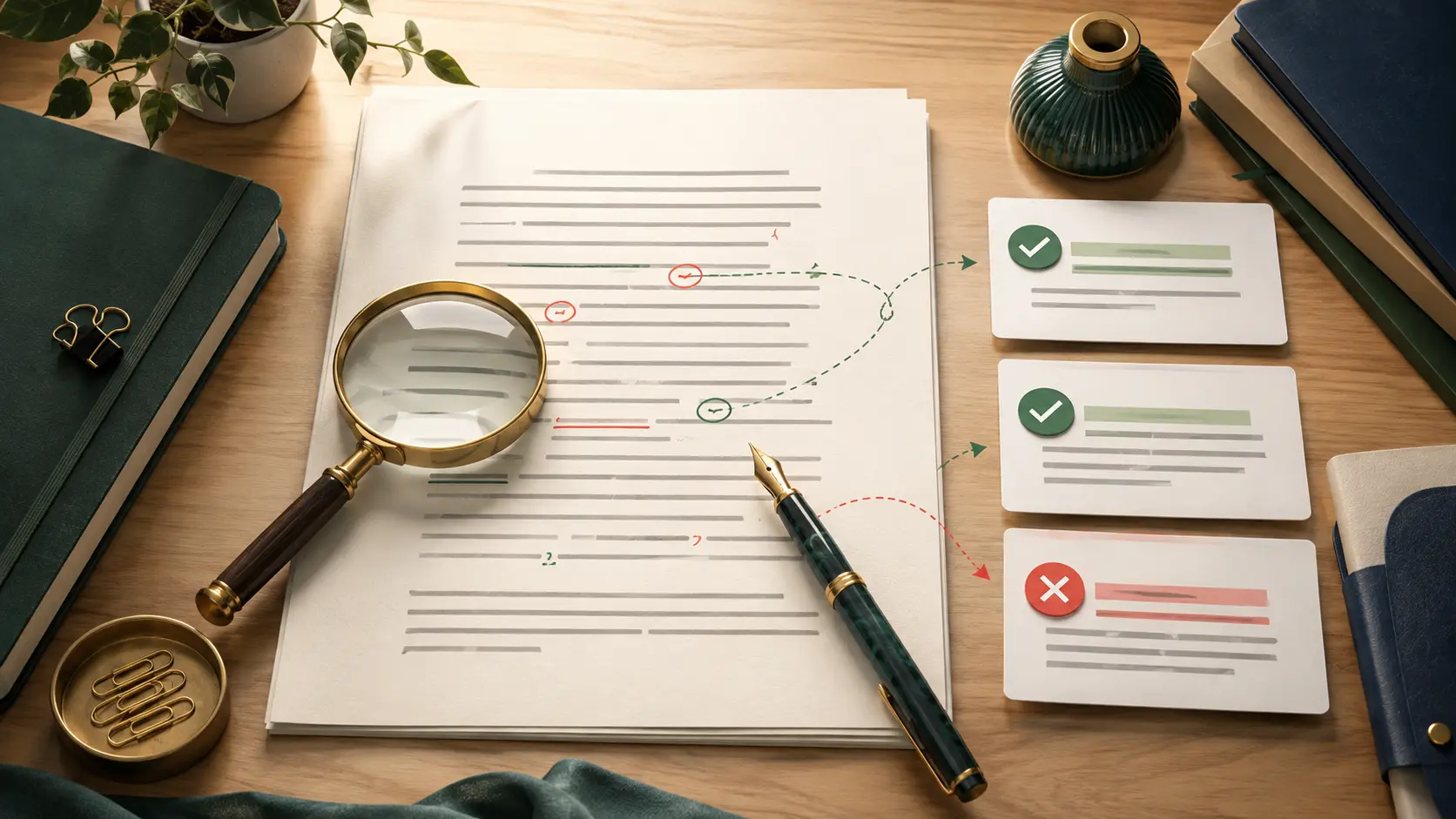
Every suggestion should be treated as a question rather than a command. Is the sentence actually incorrect? Does the proposed edit preserve the intended meaning? Is the suggestion appropriate for the audience, language variety, and tone of the document? Accepting every recommendation may remove visible errors, but it can also flatten your voice, introduce new mistakes, or change a carefully qualified claim.
This beginner-friendly workflow explains how to use a grammar checker as a second pair of eyes. It covers preparation, spelling, grammar, punctuation, clarity, consistency, false corrections, specialized documents, and the final manual review. The goal is not simply to reach a screen with no highlighted errors. The goal is to produce writing that is accurate, readable, natural, and appropriate for its purpose.
- Create distance from the draft
- Set the language, audience, and style
- Prepare clean text for checking
- Run the first grammar scan
- Review spelling suggestions carefully
- Evaluate grammar corrections
- Check punctuation in context
- Improve clarity without changing meaning
- Check consistency across the document
- Accept or reject each suggestion
- Proofread specialized documents
- Complete the final human review
1. Create Distance From the Draft
Proofreading immediately after writing is difficult because your brain remembers what you intended to say. Instead of reading the words that are actually on the page, you may unconsciously fill in missing words, correct small spelling mistakes, and overlook repeated phrases.
If time allows, step away from the document before proofreading. A short email may need only a few minutes. A report, article, application, or academic paper may benefit from several hours or an overnight break. The exact waiting period matters less than creating enough distance to see the text as a reader.
Separate proofreading from drafting as much as possible. Drafting is about generating and organizing ideas. Structural editing examines arguments, sections, and paragraph order. Proofreading focuses on sentence-level issues such as grammar, spelling, punctuation, and consistency. Trying to handle all three activities simultaneously can make each one less effective.
Purdue OWL’s proofreading suggestions recommend using techniques that help writers view their work more objectively. This is important because automated checking does not replace the need to approach the document with fresh attention.
Change the font size temporarily, read the text on a different device, or print one important page. A different visual presentation can make familiar errors easier to notice.
2. Set the Language, Audience, and Style
Before checking individual sentences, define the rules the document is expected to follow. The same expression can be correct in one language variety and flagged in another. British and American English differ in spelling, punctuation conventions, collective nouns, and some vocabulary choices.
Set the document language correctly before running the check. A passage written in British English may use “organise,” “colour,” and “centre,” while an American English checker may suggest “organize,” “color,” and “center.” These are not necessarily mistakes; they are style choices that should remain consistent.
Microsoft’s official guide to checking grammar, spelling, and style in Word explains that Microsoft Editor can provide recommendations related to spelling, grammar, conciseness, vocabulary, and formality. These categories show why proofreading settings should match the document’s purpose.
Decide whether the text should sound academic, conversational, technical, persuasive, friendly, or formal. Also identify the audience. A customer-support reply, research paper, legal notice, social media caption, and resume should not use the same sentence style.
- Language: American English
- Audience: First-time customers
- Tone: Professional and approachable
- Person: Second person where appropriate
- Numbers: Numerals for measurements and statistics
- Headings: Sentence case
This note gives you a standard for evaluating suggestions instead of relying on whichever alternative happens to appear first.
3. Prepare Clean Text for Checking
Grammar checkers work best with normal sentences and clear paragraph boundaries. Remove unnecessary formatting, broken line endings, copied navigation labels, HTML fragments, tracking codes, and unrelated text before starting.
Do not place an entire website page into the checker if the input contains menu items, button labels, product cards, cookie notices, and footer links. The tool may interpret these fragments as incomplete sentences and generate a long list of irrelevant warnings.
Divide a long document into logical sections. Check the introduction, main sections, conclusion, and references separately when necessary. Smaller inputs are easier to compare, and you are less likely to overlook a suggestion that changes the meaning.
If your final content will use decorative Unicode characters, proofread the ordinary text first. After the language is approved, you can apply selected visual styles with the Mr.Gena Fancy Text Generator. Decorative characters can sometimes be interpreted differently from standard letters, so grammar review should happen before styling.
- Preserve paragraph breaks and sentence endings.
- Remove accidental double spaces.
- Keep quotation marks around direct quotations.
- Do not delete citations or footnote markers.
- Separate headings from complete sentences.
- Save an unchanged copy of the original draft.
Keeping the original is especially important. If a correction introduces a problem, you should be able to compare the new version with the sentence you actually wrote.
4. Run the First Grammar Scan
Paste one manageable section into the Mr.Gena Grammar Checker and run the analysis. The first scan is not the moment to accept every edit. Begin by observing the types of issues the tool identifies.
Separate the recommendations into categories:
| Category | Typical examples | Review priority |
|---|---|---|
| Spelling | Typos, repeated letters, incorrect word forms | High, but verify names and technical terms |
| Grammar | Agreement, tense, articles, pronouns | High because meaning may be affected |
| Punctuation | Commas, apostrophes, sentence endings | Review in full-sentence context |
| Clarity | Long sentences, passive voice, wordiness | Evaluate according to purpose and tone |
| Style | Formality, vocabulary, sentence preference | Optional unless required by a style guide |
Work through one category at a time. This reduces decision fatigue and makes it easier to recognize recurring problems. You may discover, for example, that most of the warnings concern commas or that the tool repeatedly flags a company name as misspelled.
Google’s official instructions for checking spelling and grammar in Google Docs show that users can accept or ignore suggestions. That simple choice is essential: the presence of a recommendation does not mean the original must automatically be replaced.
5. Review Spelling Suggestions Carefully
Spelling corrections are often the easiest recommendations to review, but they are not risk-free. A word may be correctly spelled yet incorrect for the sentence. “Public” and “publish,” “form” and “from,” or “manager” and “manger” can all pass a basic dictionary check while expressing the wrong idea.
Read the entire sentence around every spelling suggestion. Confirm that the replacement is the word you intended, not merely a valid word with similar letters.
Be cautious with:
- People’s names and surnames
- Company, product, and brand names
- Locations and street names
- Technical vocabulary and abbreviations
- Industry-specific terminology
- Words borrowed from another language
- Deliberate informal language in dialogue
If a correct term appears repeatedly, add it to a personal dictionary only after verifying its spelling from a reliable source. Adding a misspelled product name to the dictionary will hide the same error throughout future documents.
Homophones require manual attention because they sound similar but have different meanings. Examples include “their,” “there,” and “they’re”; “affect” and “effect”; and “principal” and “principle.” A checker may identify some contextual mistakes, but the writer should still confirm the intended meaning.
Temporarily search the document for every occurrence of a corrected word. The first use may be wrong while another occurrence is correct, so “replace all” should be used cautiously.
6. Evaluate Grammar Corrections
Grammar suggestions require more judgment because a small edit can change time, responsibility, quantity, or certainty. Begin with the core relationship in each sentence: who or what is performing the action, when it occurs, and whether the sentence describes one item or several.
Check subject–verb agreement:
Incorrect: The list of recommendations are attached.
Correct: The list of recommendations is attached.
The subject is “list,” not “recommendations,” so the singular verb is appropriate.
Next, review verb tense. A report may use past tense for completed research, present tense for established findings, and future tense for planned work. A checker may evaluate one sentence correctly while missing inconsistent movement between several paragraphs.
Pronouns also need context. In the sentence “When the company contacted the supplier, they requested new documents,” the word “they” may refer to the company or supplier. The grammar may be technically acceptable, but the meaning is unclear. Replace the pronoun with the intended noun when ambiguity matters.
Articles such as “a,” “an,” and “the” can be difficult, particularly for non-native English writers. Ask whether the noun is general, newly introduced, or already known to the reader. Do not accept an article change without checking that relationship.
7. Check Punctuation in Context
Punctuation is not simply decoration. It controls sentence boundaries, rhythm, emphasis, and sometimes meaning. Evaluate punctuation suggestions by reading the complete sentence rather than looking only at the highlighted mark.
Comma recommendations deserve particular attention. A comma may separate introductory material, items in a list, or independent clauses joined by a coordinating conjunction. It should not normally be placed between a subject and its verb.
Incorrect: The information collected from all five departments, was reviewed on Monday.
Correct: The information collected from all five departments was reviewed on Monday.
Apostrophes also cause frequent problems. Distinguish possession from plural forms:
- Customers: More than one customer
- Customer’s order: The order of one customer
- Customers’ orders: Orders belonging to multiple customers
Quotation marks should be preserved around exact wording. Do not let an automated rewrite quietly turn a direct quotation into an unmarked sentence. Similarly, a semicolon should connect closely related independent clauses, not replace every comma in a long sentence.
When a sentence attracts several punctuation warnings, the best solution may be structural. Divide it into two shorter sentences rather than adding more marks to an already overloaded construction.
8. Improve Clarity Without Changing Meaning
A sentence can be grammatically correct and still be difficult to understand. Grammar checkers may flag wordiness, passive voice, complex structure, or vague language, but these suggestions are often stylistic rather than mandatory.
Consider this sentence:
Original: The final decision was made by the review committee after the supporting documents had been examined.
A tool may recommend active voice:
Revised: The review committee made the final decision after examining the supporting documents.
The second version is shorter and clearly identifies the actor. However, passive voice is not automatically wrong. It may be appropriate when the action or result matters more than the actor, or when the actor is unknown.
Check whether a clarity edit preserves the original level of certainty. “The change may reduce processing time” should not become “The change reduces processing time” unless evidence supports the stronger claim.
If the sentence needs more than a minor correction, use the meaning-first process from our guide on paraphrasing without changing the meaning. Identify the main claim, conditions, and limitations before rebuilding the sentence.
- Grammar correction: Fixes a language error.
- Clarity editing: Makes a sentence easier to understand.
- Paraphrasing: Rebuilds wording while preserving meaning.
- Fact-checking: Determines whether the claim is accurate.
9. Check Consistency Across the Document
A grammar checker usually reviews local language patterns, but readers experience the complete document. After resolving sentence-level issues, look for consistency across headings, lists, numbers, capitalization, terminology, and tone.
If you write “email” in one section, avoid switching to “e-mail” elsewhere unless a required style guide says otherwise. Choose either “website” or “web site,” “customer support team” or “support department,” and use the selected term consistently.
Check parallel structure in lists. If the first two items begin with verbs, the remaining items should usually follow the same pattern:
| Inconsistent list | Parallel list |
|---|---|
| Review the document | Review the document |
| Correction of spelling mistakes | Correct spelling mistakes |
| The references should be verified | Verify the references |
Use the Mr.Gena Word Counter to review word, character, sentence, and reading-time information. These measurements do not determine writing quality, but they can reveal unusually long sections, title-length problems, or a document that exceeds its required limit.
Finally, inspect headings independently. Headings are often fragments, so a checker may incorrectly recommend sentence-ending punctuation or additional words. Apply one capitalization and punctuation system consistently instead of accepting each heading suggestion separately.
10. Accept or Reject Each Suggestion
The central skill in automated proofreading is evaluation. For every recommendation, compare the original and proposed versions and answer four questions:
- Is the original sentence actually incorrect?
- Does the suggestion preserve the intended meaning?
- Does it fit the document’s audience and tone?
- Does it remain consistent with surrounding sentences?
Accept the suggestion when it clearly corrects an error without creating another problem. Edit it manually when the tool identifies a real issue but proposes an awkward replacement. Reject it when the original is correct, the recommendation changes meaning, or the wording is required by a style guide.
For example:
Original: Neither the manager nor the assistants were available.
A checker may recommend “was” because “neither” often appears with a singular verb. In this construction, however, agreement commonly follows the subject closest to the verb. Since “assistants” is plural, “were” may be appropriate depending on the style being followed. This is why context and established usage matter.
- Accept: Clear error and accurate correction
- Edit manually: Correct diagnosis but unsuitable replacement
- Ignore once: Intentional wording in this sentence
- Add to dictionary: Verified recurring name or technical term
- Investigate: Rule or meaning is uncertain
When uncertain, consult a dictionary, style guide, official terminology page, or knowledgeable editor. It is better to leave one suggestion unresolved temporarily than to introduce a confident but inaccurate edit.
11. Proofread Specialized Documents
Different documents create different risks. A casual message may tolerate contractions and fragments, while an academic paper requires careful citation and formal structure. A resume needs concise, parallel bullet points. Technical documentation must preserve exact commands and specialist terminology.
Resumes and applications
Resume bullet points often omit the subject “I,” so they may be flagged as fragments even when they follow normal resume conventions. Focus on consistent action verbs, tense, dates, capitalization, and measurable achievements.
Our guide on how to make a professional resume explains how editing, relevance, structure, and formatting work together. After proofreading the wording, you can use the Mr.Gena Free Resume Builder to arrange the approved information into a one-page PDF resume.
Academic and research writing
Do not allow corrections to alter quotations, citation formats, variables, scientific notation, or study results. Check paraphrased information against its source and preserve the appropriate attribution.
The Mr.Gena Plagiarism Checker can provide an additional originality review, but grammar and plagiarism checks answer different questions. A grammatically perfect passage may still use uncited source material, while an original passage may still contain language errors.
Marketing and website content
Preserve deliberate brand terminology, button labels, and product names. At the same time, avoid letting brand language become an excuse for confusing grammar. Test important calls to action in their actual page layout because a sentence that looks clear in a checker may appear awkward when placed inside a small button or card.
12. Complete the Final Human Review
After resolving the automated suggestions, read the complete document again without the checker panel open. This final pass evaluates the result as a reader would experience it.
Read slowly and aloud. Your ear may catch missing words, repeated phrases, unnatural rhythm, and overly long sentences that your eyes overlook. Place a finger or cursor under each line if you tend to read too quickly.
Check one category at a time:
- Names, dates, prices, measurements, and percentages
- Headings and capitalization
- Sentence endings and quotation marks
- Links, citations, and footnotes
- Numbered steps and bullet-point structure
- Repeated or missing words
- Unexpected changes in tense or tone
- Formatting after copying the corrected text
If the document contains an author list, bibliography, glossary, keyword list, or alphabetical index, the Mr.Gena Alphabetize Tool can sort the entries and remove accidental duplicates. Review the result manually because some citation systems ignore articles or apply special surname rules.
Finally, return to the document’s original purpose. Is the main message still clear? Did any accepted suggestion remove an important qualification? Does the text still sound like its writer? Is the call to action, conclusion, or recommendation easy to identify?
- The correct language variety was selected.
- Spelling changes were checked in full-sentence context.
- Names and technical terms were verified.
- Subject–verb agreement and tense are consistent.
- Pronoun references are clear.
- Punctuation supports the intended meaning.
- Clarity edits did not strengthen or weaken claims.
- Headings, lists, numbers, and terminology are consistent.
- Quotations and citations were not altered accidentally.
- False or inappropriate suggestions were rejected.
- The final document was read aloud.
- The corrected version was reviewed in its publishing format.
Common Grammar Checker Questions
Should I accept every grammar suggestion?
No. Grammar checkers identify patterns and possible problems, but they do not fully understand every intended meaning, specialist term, style choice, or brand expression. Review each recommendation and accept it only when it improves the sentence without changing its purpose.
Why does a grammar checker flag a correct sentence?
The sentence may use an uncommon construction, technical term, proper name, dialect choice, deliberate fragment, or style-guide exception. The checker may also lack enough context to identify what a pronoun or specialist term refers to.
Can a grammar checker improve readability?
It can identify some long sentences, passive constructions, repeated words, and complex phrases. Readability is broader than grammar, however. Logical order, audience knowledge, examples, headings, and paragraph structure also affect how easily readers understand a document.
Is passive voice grammatically incorrect?
No. Passive voice is a valid grammatical structure. It becomes a problem when it hides important responsibility, creates unnecessary wordiness, or makes the sentence difficult to follow. It can be appropriate when the action or result is more important than the actor.
Should I run the checker while drafting?
You can, but constant corrections may interrupt your thinking. Many writers work faster when they complete a section first, revise its ideas, and run the grammar check afterward. Urgent emails and short messages may be checked as they are written.
Does a zero-error result mean the writing is ready?
Not necessarily. A document can contain no detected grammar errors and still be unclear, inaccurate, repetitive, poorly organized, or unsuitable for its audience. Automated checking should be followed by a manual meaning and readability review.
Conclusion: Let the Tool Find Problems, Then Use Judgment
A grammar checker is most valuable when it supports thoughtful proofreading rather than replacing it. It can scan a document quickly, identify patterns, and draw attention to sentences that deserve another look. The writer’s responsibility is to decide which changes are accurate and appropriate.
Prepare clean text, define the language and audience, review one category at a time, and compare every suggestion with the intended meaning. Accept clear corrections, manually repair awkward recommendations, and reject edits that damage accuracy or voice.
The best result is not a document with no colored underlines. It is a document that communicates its message clearly, consistently, and credibly—and still sounds like the person or organization that wrote it.